
AI-Catalytic: internal tool for managing features and agents
I built AI-Catalytic CLI because I needed a tool for managing concurrent agents working on different features.
With AI it is very easy to create internal tools that can speed up development. I found my self needing a tool for creating and managing agents working on different features. So of course I create a new tool: ai-catalytic.
Ai-catalytic
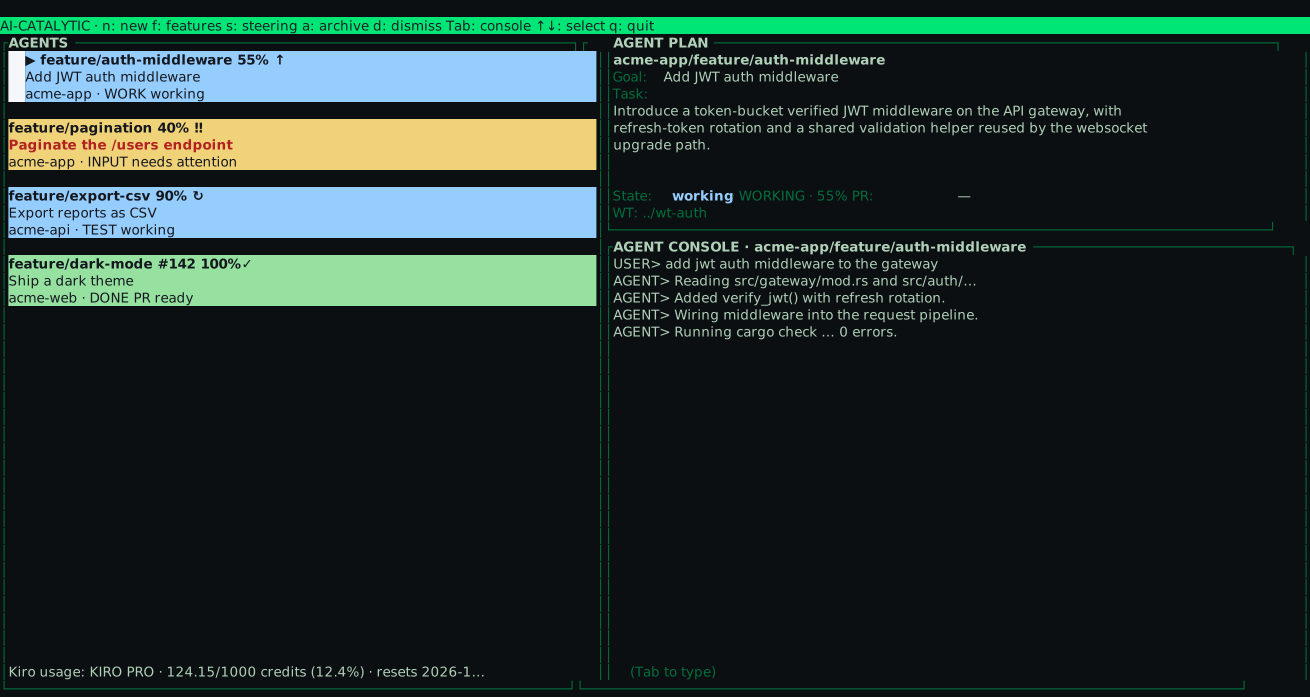
Ai-catalytic is a CLI-based tool where I conveniently can create new features that agents can work on, and more importantly I get a unified view of all working agents.
Each agent shows its state at a glance (working, PR ready, or needs attention), so I can tell which agents are making progress on their own and which ones are blocked waiting for my input.
When a agents needs attention I can, at my leisure, answer it, and leave the rest to run.
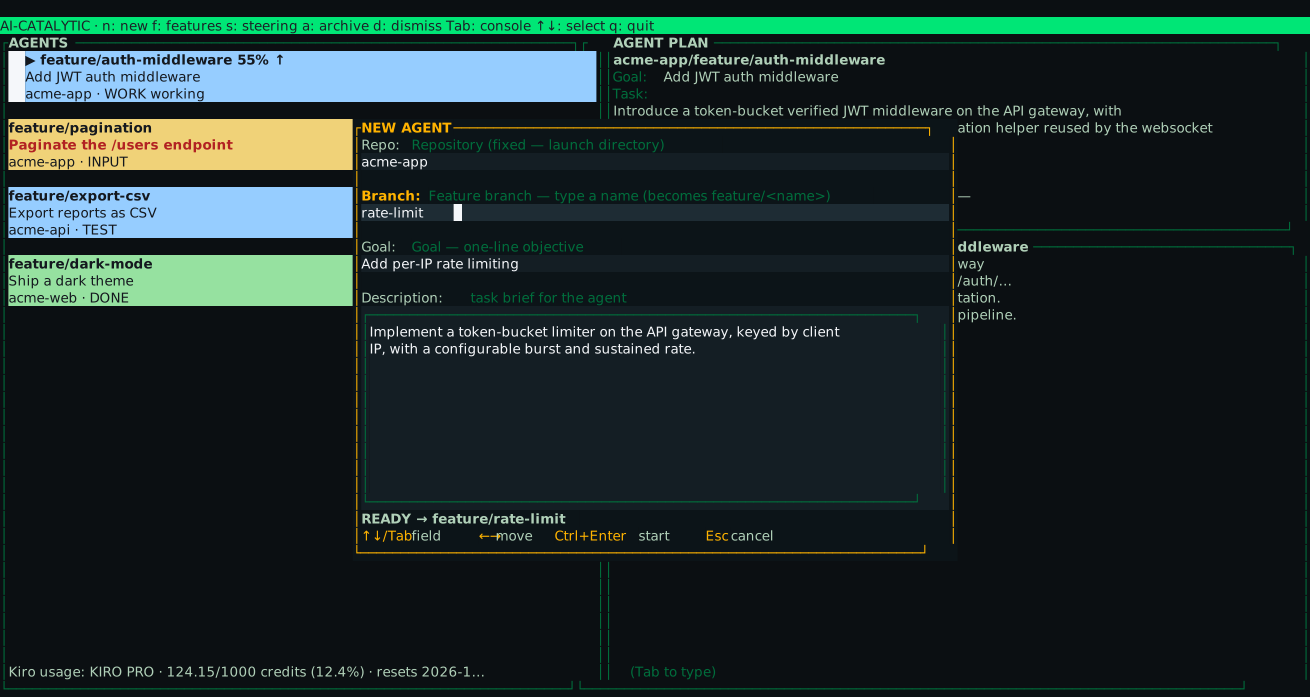
To launch an agent I press n, fill in four fields, and hit Ctrl+Enter.
The repo is fixed to the launch directory, the branch name becomes feature/<name>, and the goal plus description tell the agent what to do.
Each agent runs on its own branch in its own worktree, so they never step on each other. If there are multiple agents working on the same code, the agents might need to do some merging or rebasing. This should be an automatic and will come later.